

Other AI toolsdo the work.Ours builds the worker.
The weekly report. The daily digest. The client summary. Build a workflow that handles the job — AI reads the messy parts, then it runs the same way, every time.
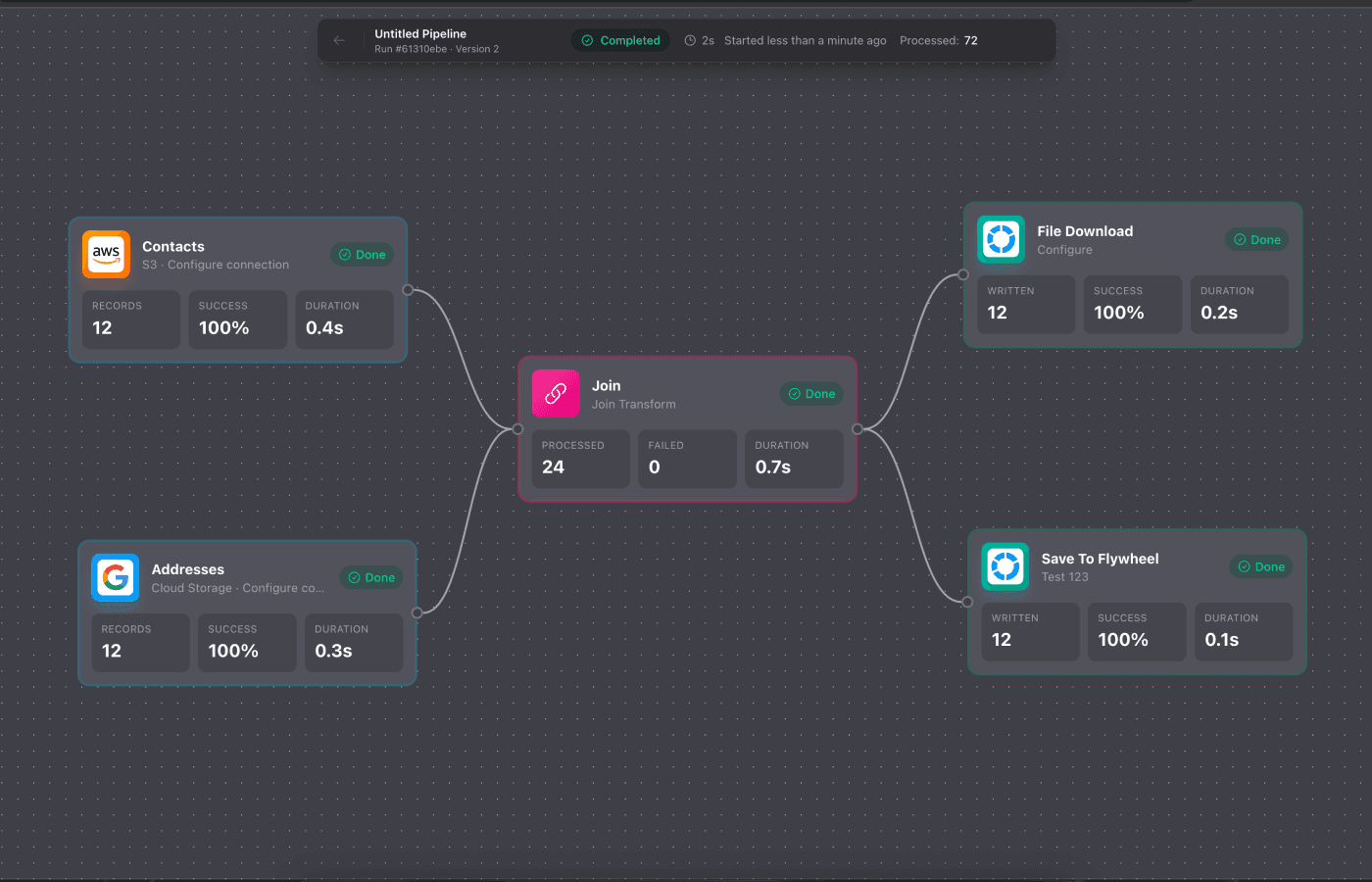

One workflow.
One job. Handled.
Build it on a visual canvas. It runs on a schedule, on demand, or when triggered. No code. No maintenance.
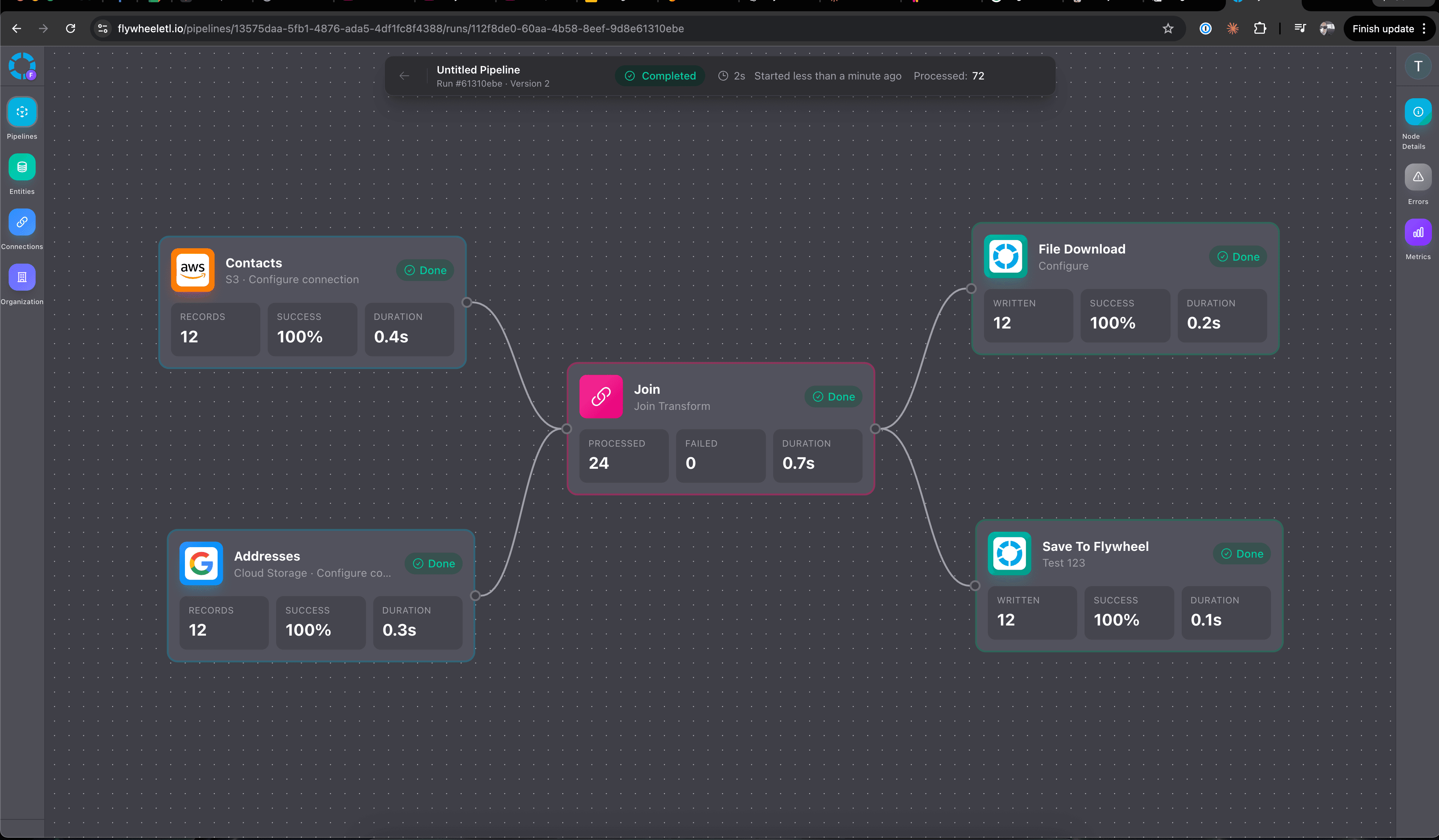
Visual Canvas
Drag sources, transforms, and destinations onto a canvas. See your entire worker at a glance. No code, no guessing.
AI Reads the Messy Parts
Emails, PDFs, Slack messages — AI extracts what matters, summarizes, and structures the data. The hard part, handled.
Reliable, Every Run
AI understands your data. Deterministic workflows execute the job. Same input, same output. No hallucinations in your business logic.
Runs When You Need It
Scheduled, on demand, or triggered by a webhook. Your worker runs whenever the job needs doing. Gmail, S3, BigQuery, Slack, and more.
Connect to everything
Pre-built connectors for the platforms you already use
More integrations shipping every week.
Frequently Asked
Questions
Everything you need to know about Flywheel
What is Flywheel?
Flywheel lets you build automated workflows — we call them "workers" — for recurring tasks. The weekly report someone builds every Monday. The daily digest. The client prep before each session. You build it once on a visual canvas, and it handles the job from there — on a schedule, on demand, or triggered by an event. AI reads the messy parts (emails, PDFs, messages), and deterministic workflows handle the rest reliably.
What does AI enrichment actually mean?
AI reads your emails, PDFs, and messages and extracts structured data — names, amounts, dates, categories. It happens automatically as part of your workflow. You connect a source, add an AI enrichment step, and the extracted data flows into your destination.
Do I need technical skills?
No. The visual canvas is drag-and-drop. Connect a source, add AI enrichment, connect a destination. No code, no YAML, no deployment pipelines. If you can use a spreadsheet, you can use Flywheel.
How is this different from Zapier?
Zapier connects APIs — when X happens, do Y. Flywheel reads your messy, unstructured data with AI, then runs reliable workflows to route and transform it. Different tools for different jobs.
How is this different from AI agents?
AI agents guess. Flywheel workflows execute. We use AI for understanding your data, then deterministic logic for routing and transforming it. Same result every time — no hallucinations, no surprises.
Is this really free?
Yes. Free tier with all features. No credit card required, no trial expiration. Use it as long as you want.
How long does it take to set up?
Most workflows take under 10 minutes. Drag a source, add AI enrichment, connect a destination, hit run. No onboarding calls, no implementation projects.
Can I use both Flywheel and other tools?
Yes. Use Zapier for simple API triggers. Use AI agents for research. Use Flywheel for workflows that need AI understanding plus reliable execution. They complement each other.
What data sources do you support?
Gmail, Google Drive, S3, BigQuery, GCS, DynamoDB, Firestore, PostgreSQL, Pub/Sub, and more shipping regularly. If you need something we don't have yet, let us know.
Build a worker. Hand off the job.
One workflow. One job. Runs whenever it needs to. Free to start. No credit card.