


See Your Entire Pipeline
In One View
A visual dashboard that shows how your data flows from imports through data types to exports. With live metrics on every node.
Most automation tools make you click around to understand what's happening. Check this import. Click into that export. Open another tab for your data types. Piece together the picture yourself.
We built a better way.
Flywheel's new dashboard shows your entire data pipeline as a visual flow graph. Imports on the left, data types in the middle, exports on the right. Connected lines show how data flows through your system. And every node displays live metrics so you know exactly what's happening.
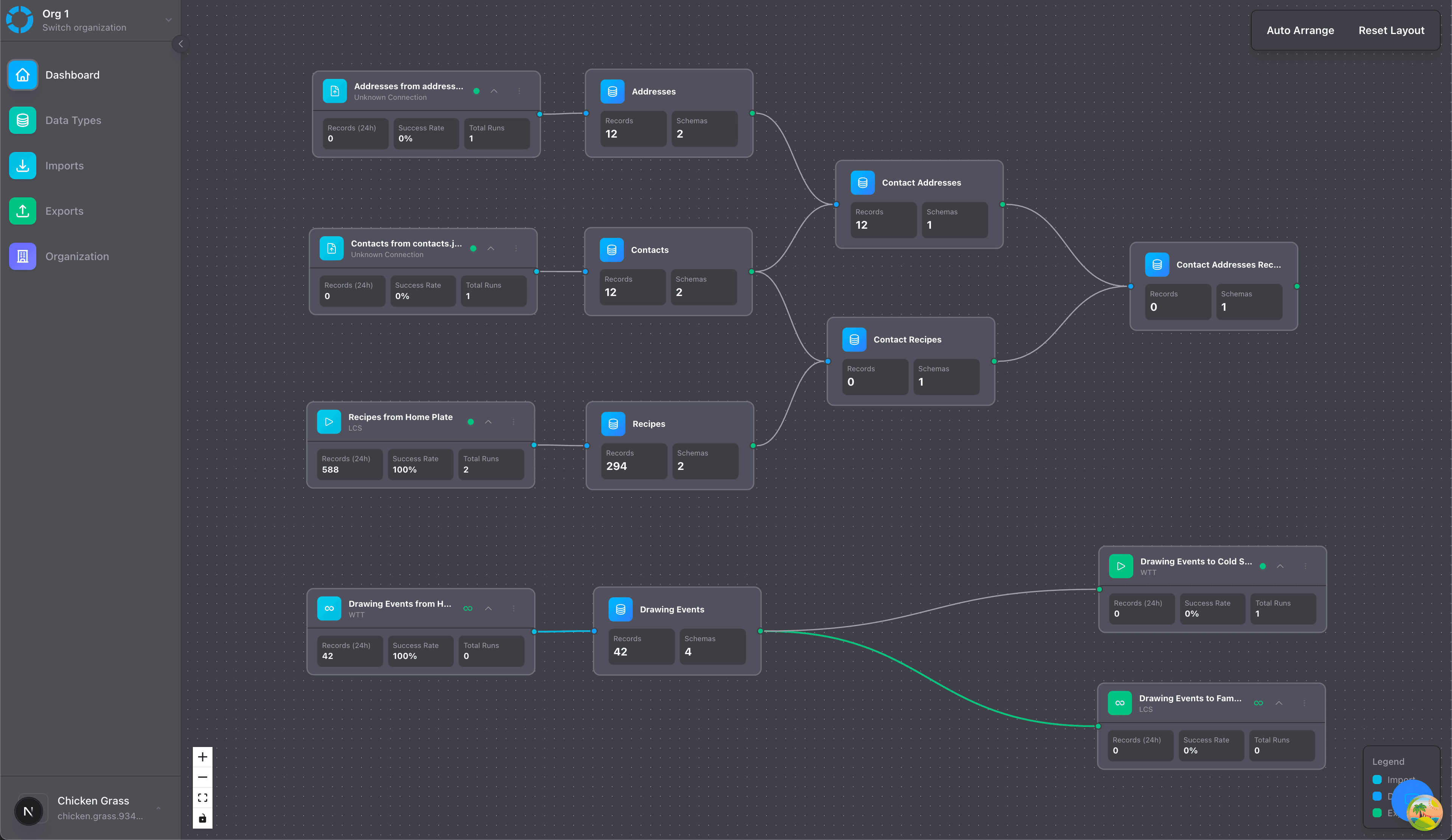
Your Pipeline, Visualized
The flow graph isn't just pretty—it's practical. At a glance you can see:
No more mental model building. No more "wait, which import feeds the Contacts data type again?" It's all right there.
Live Metrics on Every Node
Each node in the graph shows real-time metrics. Expand an import or export and you'll see:
- Records processed in the last 24 hours
- Success rate so you know if things are working
- Total runs and average duration
- Recent run history with individual status
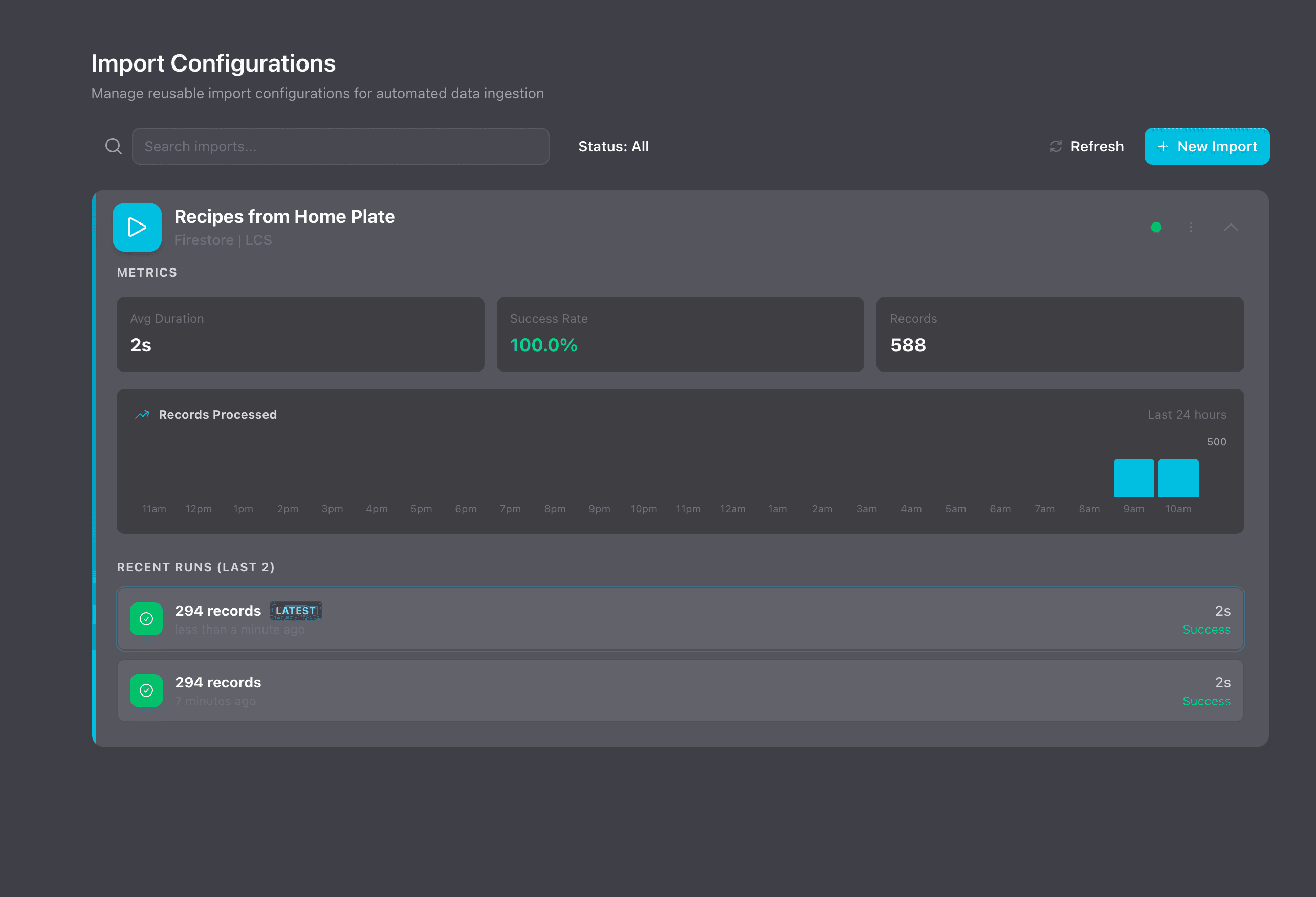
And these metrics update live. Using Server-Sent Events, your browser stays connected and receives updates as they happen. No refresh button. No polling. Just watch the numbers tick up as your data flows.
Why This Matters
Most automation tools are black boxes. You configure something, hit run, and hope. Maybe there's a log buried somewhere. Maybe you get an email notification... eventually.
We think you should be able to see your automations working. Not because you need to babysit them—but because confidence matters. When you can see data flowing through your pipeline in real-time, you trust the system. And when something breaks, you catch it immediately instead of discovering it hours later.
This is especially useful for ops teams who need to answer "is everything running?" without clicking into each workflow individually. Open the dashboard. See the flow. Know the status. Done.
Built for 2026
This is the kind of feature that comes from building with modern architecture. Event-driven backend. Reactive frontend. Real-time updates by default, not as an afterthought.
We're not carrying legacy baggage from 2015. Every part of Flywheel is designed with visibility and real-time feedback in mind. Because when you're trusting a tool with your data pipelines, you should be able to watch it work.
Try It Out
Set up an import, create a data type, connect an export. Then open the dashboard and watch your data flow through the graph. It's kind of satisfying.